Hi,
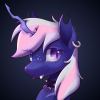
I made a converter to draw images in starfall.
Your image must be a square.
You first need to convert your image with gimp into an html table.
Change the extension of the script from txt to py (Couldn't upload on the forum as .py)
Convert the html table with the python script ,specify the resolution by setting the size variable in the script.
Redirect the output of the script to a file.
Place this file in your starfall folder.
You can then import the file in your starfall project and use the image.
Avoid images that are too big because the upload time increases with the resolution (~10s for 600x600)
For performance reasons it draws one column per tick and stores the image in a rendertarget once entirely drawn.
Have fun !


 !